Content Management Systems
A Content Management System (CMS) is software that allows users to create, edit, organize, and publish content online without needing to know how to code. Whether you’re running a business website, blog, or online store, a CMS makes it easier to manage content efficiently while maintaining a professional online presence.
Popular CMS Platforms include:
- Wordpress
- Shopify
- Drupal
- Joomla
How a CMS Works
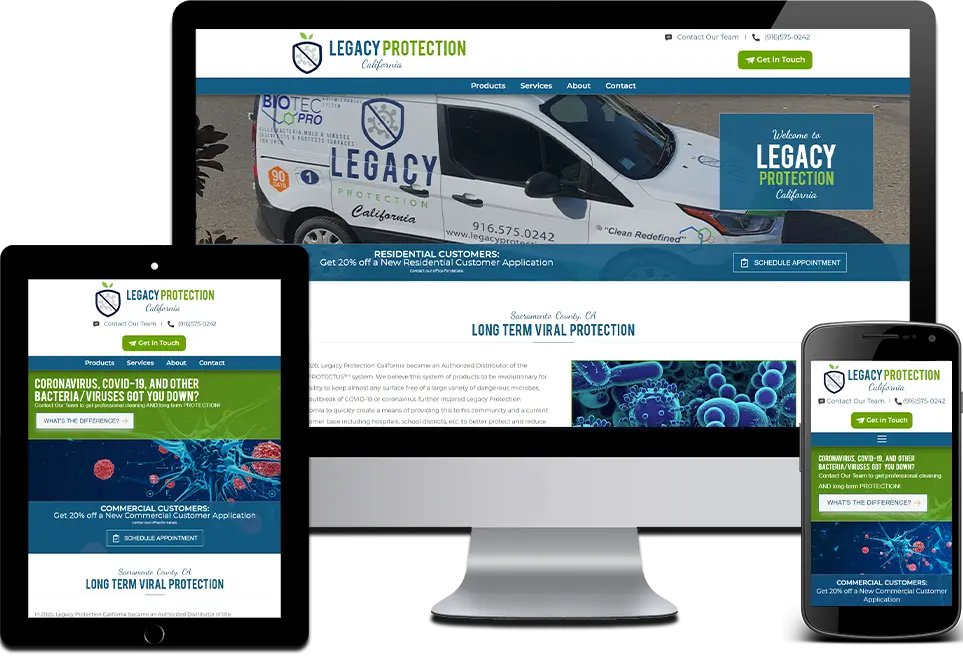 At its core, a CMS separates content from design and functionality. This allows users to update website content without touching code.
Content Creation and Editing
Most CMS platforms include a visual editor that works similar to a word processor. You can format text, upload images, embed videos, and publish posts quickly. This simplifies content creation for users with limited technical knowledge.
Templates and Themes
CMS platforms use themes or templates to control the visual layout of a website. This allows consistent branding across pages and simplifies design updates. These templates often provide pre-designed sections and pages that can be customized to your liking.
Plugins and Extensions
Plugins add functionality such as SEO tools, contact forms, analytics, and eCommerce features. This flexibility is a major reason CMS platforms are so popular.
w3 Web Design Get a Quote
CMS Tradeoffs
The decision of whether or not to use a CMS depends on what you’re trying to do. While most CMS platforms provide a user-friendly editor, they often come pre-packaged with excessive scripts that increase the page’s load time. We’ve seen countless sites where third-party plugins conflict or load unnecessary JavaScript, making the site perform poorly on mobile devices. Our approach is to be intentional about when to use a CMS and when not to.
Is a CMS Right for Your Project?
A CMS is an excellent choice for websites that require frequent content updates, such as blogs, news sites, or e-commerce stores, where team collaboration is necessary. However, a CMS can be a bad idea for simple, static landing pages or highly bespoke, high-performance web applications where the overhead of a CMS, including its bloated plugin architecture and database requirements, would negatively impact page speed and security. In those cases, a static or custom-coded solution is often more efficient and secure.
Our Optimization Process
We don't just "set up" a CMS. We focus on:
- Managed Updates: Keeping your core and plugins secure so your site remains an asset, not a security risk.
- Performance Hygiene: Removing render-blocking resources that drag down your PageSpeed scores.
- Semantic Structure: Ensuring your content is organized in a way that search bots can crawl and index effectively.
Benefits of Using a CMS
A well-chosen CMS provides several advantages for website owners and teams. These benefits include:
User-Friendly Management
Non-technical users can manage pages, blog posts, and media libraries without relying on developers. This accessibility streamlines content updates and reduces overhead costs for businesses.
SEO Optimization
Many CMS platforms support SEO best practices, including customizable meta tags, clean URLs, and schema integrations. Using a CMS with strong SEO features makes the technical aspects of SEO easier, allowing users to focus on high-quality content.
Scalability
As your website grows, a CMS can scale with you by supporting additional features, integrations, and higher traffic levels. This ensures your online presence remains robust and functional as your business expands.
Collaboration
Multiple users can work within a CMS simultaneously, making it easier for teams to manage content workflows. This collaborative environment significantly improves efficiency and accelerates the content creation process.
Contact a Nerd
How to Choose the Right CMS

Selecting the best CMS depends on your goals and technical comfort level. Consider factors such as ease of use, customization options, scalability, and SEO capabilities. If you plan to grow your site or use marketing tools, consider using a CMS with strong plugin support and active development. For local businesses in West Chester, Paoli, or Havertown, a CMS should be a tool that serves your specific goals. Whether you're a non-profit in the greater Philadelphia area or a service-based business, we build your CMS foundation to prioritize SEO and local search visibility.
w3 Web Design Get a Quote